
Top 10 Best Habit Tracking App Picks
Find the best habit tracking app. We review 10 top tools for streaks, mindfulness, & growth to help you build better habits.

You pick a habit with honest intent. Maybe it’s a daily walk, ten minutes of reading, more water, or a journaling practice you keep restarting after a hard week. For a few days, the effort feels light.
Then your schedule tightens.
A late meeting turns into missed sleep. Missed sleep turns a simple habit into one more thing hanging over your head. That’s the point where many people assume they lack discipline, even though the bigger issue is usually fit. The tool is asking for a style of consistency that doesn’t match the way they operate.
That’s why the best habit tracking app is rarely the one with the longest feature list. It’s the one built around the kind of reinforcement you respond to. Some people do better with charts, streaks, and trend lines. Some need playful rewards. Some stay consistent with gentle prompts and identity-based encouragement. Others want a quiet, stripped-down tracker that records progress without adding noise.
I’ve found that habit apps work best when they match your mental model for growth. If you want external accountability, a data-first app can keep you honest. If you shut down under pressure, a softer approach often works better. If identity and self-talk shape your follow-through, tools grounded in affirmation can help, especially if you understand the science behind affirmations and behavior change.
This guide uses that lens throughout. The goal is not to crown one app for everyone. It’s to help you choose a digital partner that fits your personality, your friction points, and the way you’re most likely to keep going when life gets messy.
1. I Become For affirmation-centered habit building
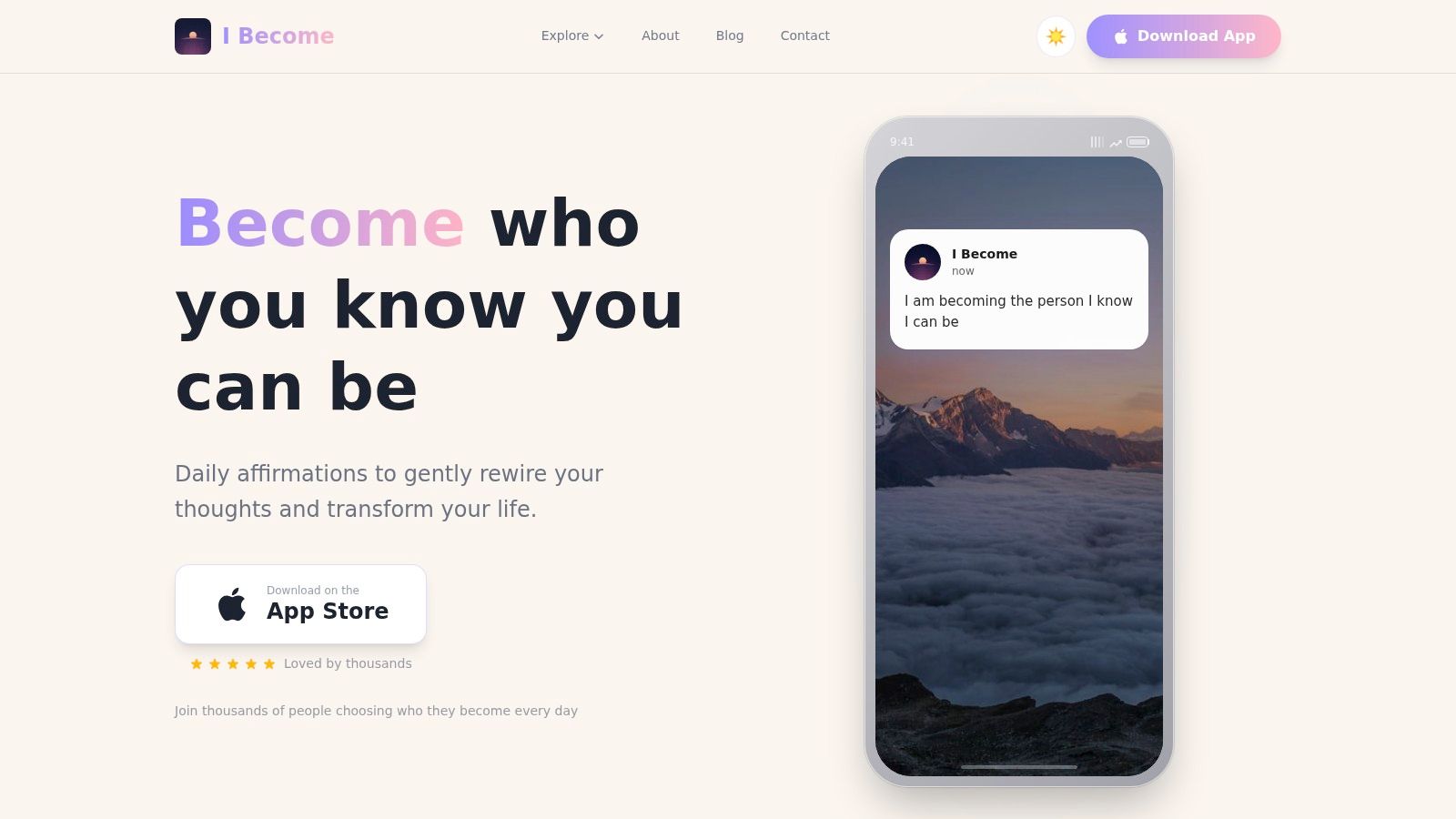
Some habit apps ask, “Did you do the thing?” I Become starts one layer deeper and asks, “Who are you becoming while you do it?” That difference matters more than it sounds.
If your habits rise and fall with your inner voice, this app has a clear role. I Become is an iOS affirmation app built for people who want consistency, but don’t respond well to harsh accountability. Instead of turning self-improvement into pressure, it makes mindset practice feel gentle, visible, and repeatable.
Why it works for a certain kind of user
This is the best habit tracking app for people who know their biggest obstacle isn’t always scheduling. It’s self-doubt, stress, overthinking, or losing emotional connection to the habit itself. When that’s the pattern, checking boxes alone usually doesn’t solve the deeper friction.
I Become lets you choose focus areas that match what you’re working on, such as confidence, calm, or productivity. From there, the app surfaces personalized affirmations through notifications and Lock Screen widgets, which makes the practice easier to return to throughout the day.
Its four practice modes also make a real difference:
- Read mode: Good for quick morning grounding when you want a simple reset.
- Speak mode: Helpful if saying words out loud makes them feel more embodied and real.
- Listen mode: A strong fit for walks, commutes, or evenings when reading feels like effort.
- Write mode: Best when you want slower reflection and stronger emotional engagement.
Practical rule: If you keep abandoning trackers because they feel like mini performance reviews, start with a tool that supports identity and mindset first.
The built-in streak tracking gives you momentum without making the experience feel sterile. That balance is rare. A lot of apps are either too rigid or too vague. I Become sits in a useful middle ground.
Trade-offs to know before you download
I Become is focused. That’s a strength, and it’s also the limitation.
If you want to track dozens of granular habits, compare completion patterns, and build a full dashboard for workouts, hydration, and project milestones, you’ll probably want a second app alongside it. But if your real goal is creating a steadier internal state so your other habits become easier to keep, this is a strong place to begin.
The design also helps. The themes and backgrounds make the app feel uplifting instead of clinical, and that matters for a practice you’re trying to return to every day. The whole experience fits naturally into a morning routine, a stressful afternoon pause, or a few quiet minutes before bed.
For people curious about the deeper mindset side of the practice, I’d also recommend reading the science of affirmations.
Best for
- Mindset-first growth: People building confidence, calm, self-worth, or emotional resilience alongside other habits.
- Gentle daily repetition: Users who want support that feels encouraging, not punishing.
- iPhone ritual builders: Anyone who’ll use widgets, notifications, and short reflective sessions.
Watch-outs
- iOS only: Android users will need a different option for now.
- Not a full habit dashboard: It’s strongest as an affirmation-centered companion, not an everything tracker.
If that sounds like the support you’ve been missing, you can download I Become on the App Store through the I Become website.
2. Streaks For the Apple ecosystem purist
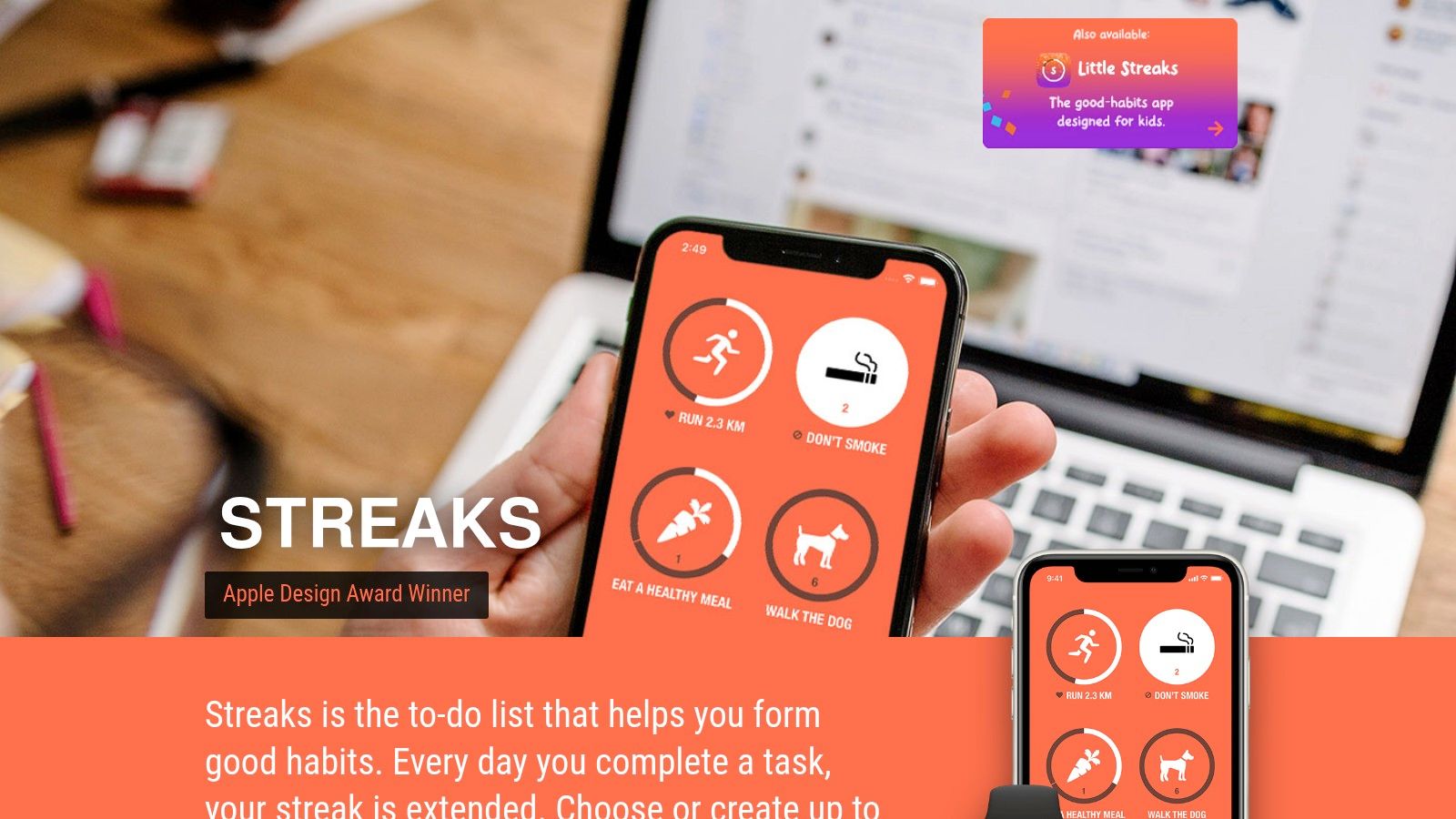
You check a habit off from your Apple Watch while making coffee, glance at the widget on your iPhone later, and close the loop before the day gets busy. That kind of low-friction rhythm is exactly why Streaks works so well for certain people.
Streaks is built around a very specific kind of motivation. Protect the chain, keep the routine visible, and make daily follow-through feel satisfying. If your brain responds well to clear visual momentum, this app fits that psychology better than tools that ask you to journal, reflect, or build a whole goal system first.
It also makes sense for users who are tired of stacking subscriptions. Streaks has long stood out for its one-time purchase model, and for plenty of Apple users, that keeps the decision simple.
Where Streaks shines
Speed is the primary selling point.
The app feels native in the best way. Widgets, Apple Watch support, and Apple Health integration reduce the number of taps between intention and completion. That matters more than feature lists usually admit. A habit tracker only helps if you open it, and Streaks removes enough friction to stay in rotation.
I recommend it most for people who want habit tracking to stay light. Daily walks, vitamins, stretching, reading, sleep routines, medication reminders, hydration. These are habits that benefit from quick confirmation, not a lot of analysis. If you're resetting your routine at the start of a fresh cycle, this pairs well with a simple new month, new goals reset.
The app's personality is also clear. It does not try to coach you. It does not try to become your planner. It gives you a clean place to repeat actions that matter and see whether you're staying consistent.
The trade-off
That clarity comes with limits. Streaks is less compelling for people who need emotional support, deeper reflection, or richer progress analysis to stay engaged. If you like understanding patterns, reviewing trends, or separating habit types in more detail, the app can start to feel narrow after the honeymoon phase.
Device loyalty matters too. Streaks is a strong match for people who are already committed to Apple across the board. If your real life moves between Android, Windows, and web apps, the convenience drops fast, and one of the cross-platform options later in this guide will probably fit better.
Best for
- Apple-first users: People who use iPhone, Apple Watch, and Apple Health daily.
- Streak-motivated personalities: Users who stay consistent when progress is visible and easy to protect.
- Quick check-in routines: Anyone who wants habit tracking to take seconds, not attention.
Watch-outs
- Limited outside Apple: It makes less sense for mixed-device setups.
- Light on reflection: Good for repetition, less helpful for journaling, coaching, or deeper insight.
You can explore it at Streaks.
3. Strides For the data-driven goal setter
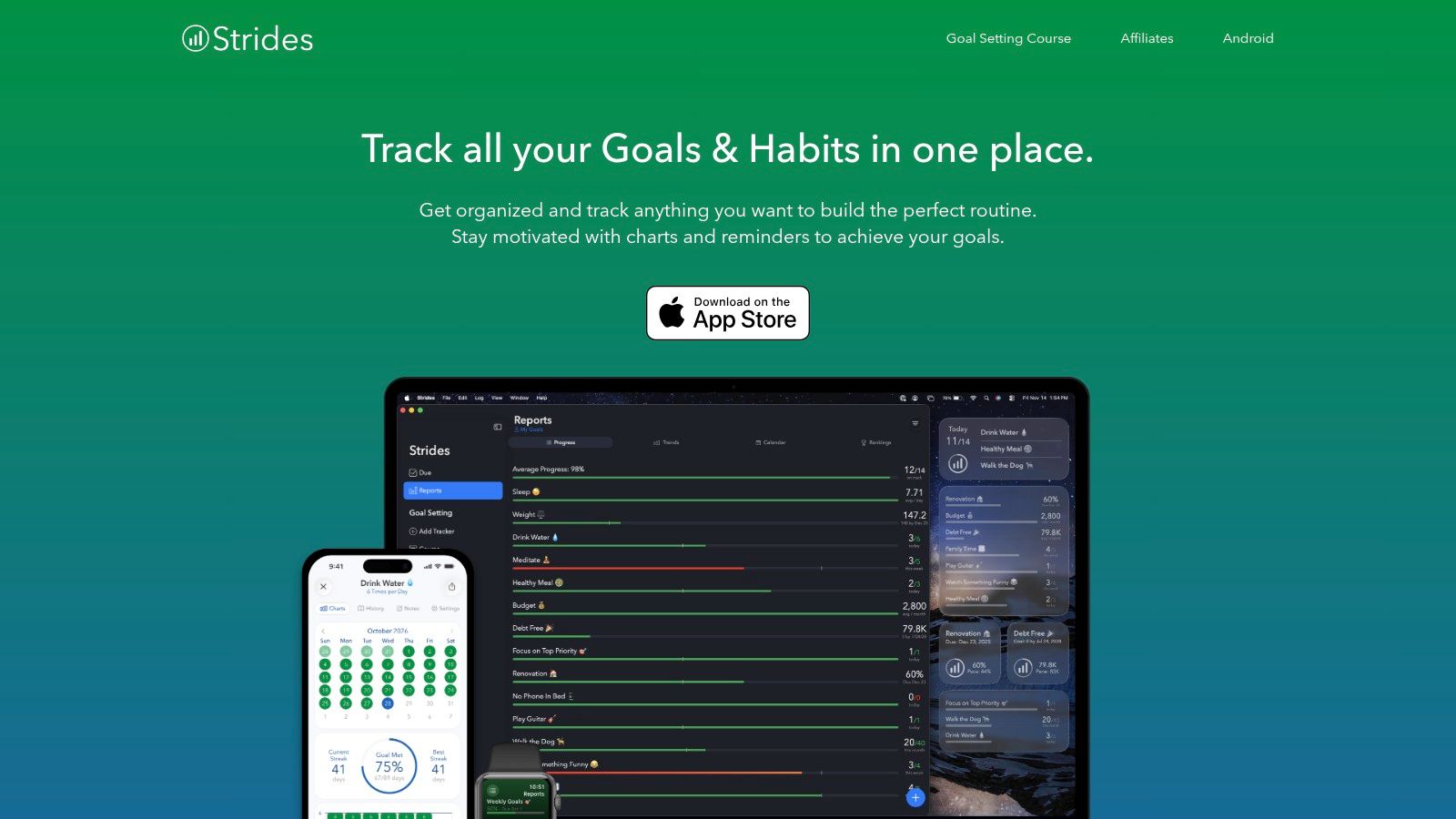
Some people want a habit tracker. Others want a command center. Strides leans toward the second group.
If you think in targets, milestones, pace, and progress curves, Strides feels satisfying in a way simpler apps won’t. It’s built for users who don’t just want to mark completion. They want to measure whether they’re moving in the right direction.
Why analytical users like it
Strides supports multiple tracker styles, which makes it more flexible than apps that only think in yes-or-no streaks. That matters when your goals don’t all behave the same way. Reading daily, saving toward a target, and shipping a multi-step project aren’t really the same kind of work.
The app’s reports and charts are the draw. If visual evidence helps you stay committed, Strides gives you more to look at and more to learn from. I like it most for people who already review their habits and goals regularly, not just log them.
For a mindset reset at the start of a new cycle, new month, new goals pairs nicely with this kind of app.
The trade-off
Power adds complexity. Strides is not difficult in a bad way, but it does ask a bit more from you upfront. You’ll get more value if you enjoy setup, categories, and reviewing trends. If you don’t, the app can feel heavier than it needs to.
It’s also Apple-focused, which narrows its fit.
Best for
- SMART-goal thinkers: Users who like structured goals and measurable progress.
- Multi-format tracking: People balancing habits, targets, averages, and projects.
- Review-driven users: Those who look at charts and adjust from them.
Watch-outs
- More setup required: Not ideal if you want instant simplicity.
- Best features behind paid access: Worth checking carefully before committing.
Visit Strides.
4. Productive For guided challenges and motivation
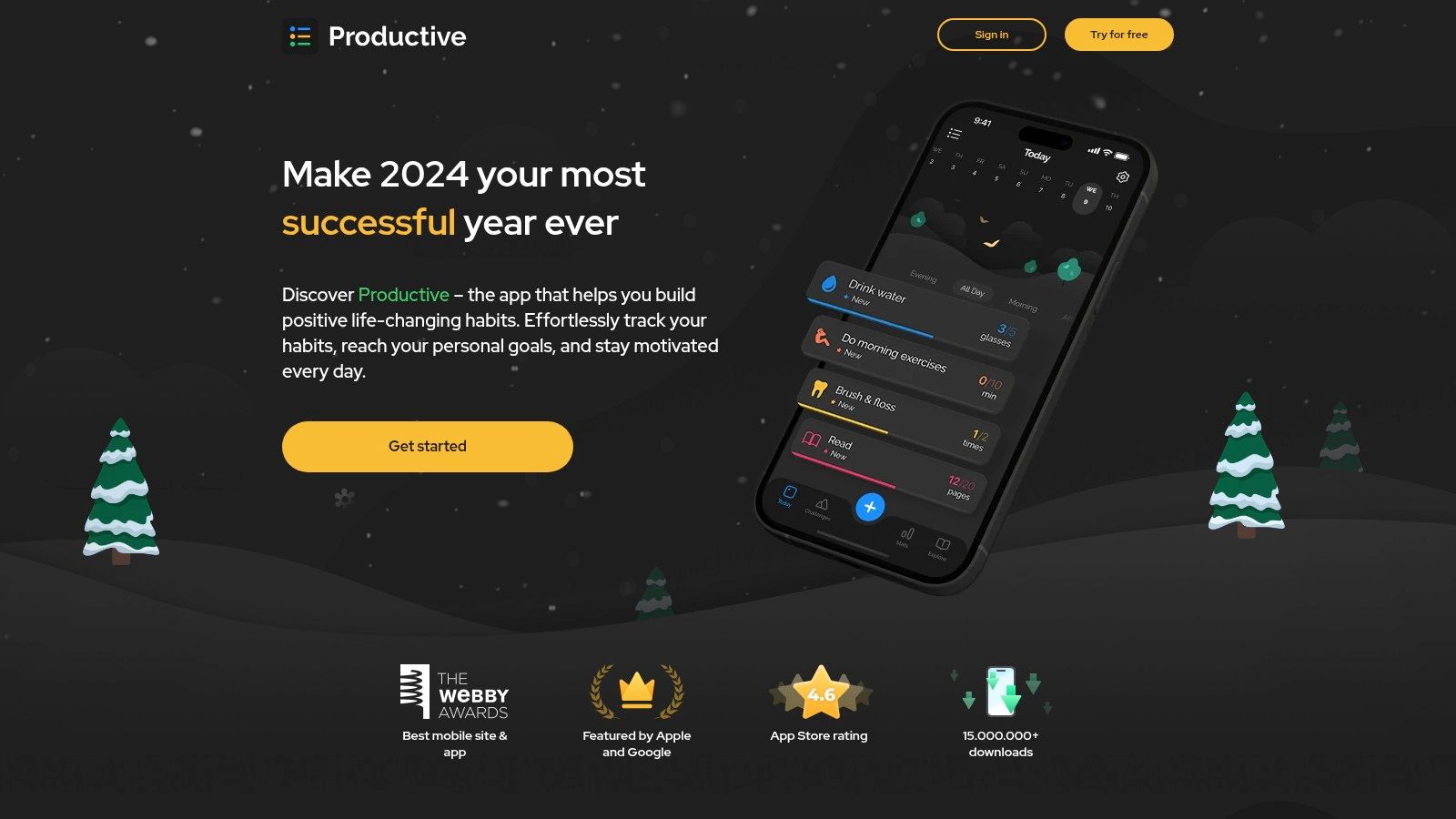
Productive feels like a habit tracker with a coaching streak. It doesn’t just give you a place to log routines. It tries to keep you engaged with programs, reminders, and challenge-style motivation.
That can be useful if you tend to lose momentum once the novelty wears off. According to Habi’s roundup of leading habit tracker apps, many habit trackers see significant abandonment by week two. Productive’s challenge-based structure makes sense in that context. It gives users more reasons to come back than a plain checklist does.
What stands out
The mix of guided programs and flexible reminders makes Productive appealing for people who like a little external structure. Location-based reminders are particularly practical for real-world routines. If your brain responds to context better than clock time, that feature is more helpful than it first appears.
The app is also more motivational than minimalist. Some people need that. They don’t want an empty dashboard. They want prompts, movement, and a sense that the tool is actively helping.
A habit app should reduce friction, not become another source of decision fatigue.
When it’s not the right fit
If you prefer visual calm and low cognitive load, Productive may feel busier than necessary. There’s a lot going on compared with leaner trackers.
Subscription cost is the other thing to watch. This isn’t the app I’d recommend to someone who wants the most stripped-down way to track a handful of habits.
Best for
- People who like guidance: Users who respond well to prompts and structured programs.
- Motivation seekers: Anyone who enjoys challenges and built-in encouragement.
- Routine builders with context triggers: Especially useful for location-based reminders.
Watch-outs
- Can feel crowded: Not ideal if you want a minimalist interface.
- May be pricier than simple trackers: Worth comparing against what features you’ll use.
Take a look at Productive.
5. Habitify For the cross-platform power user
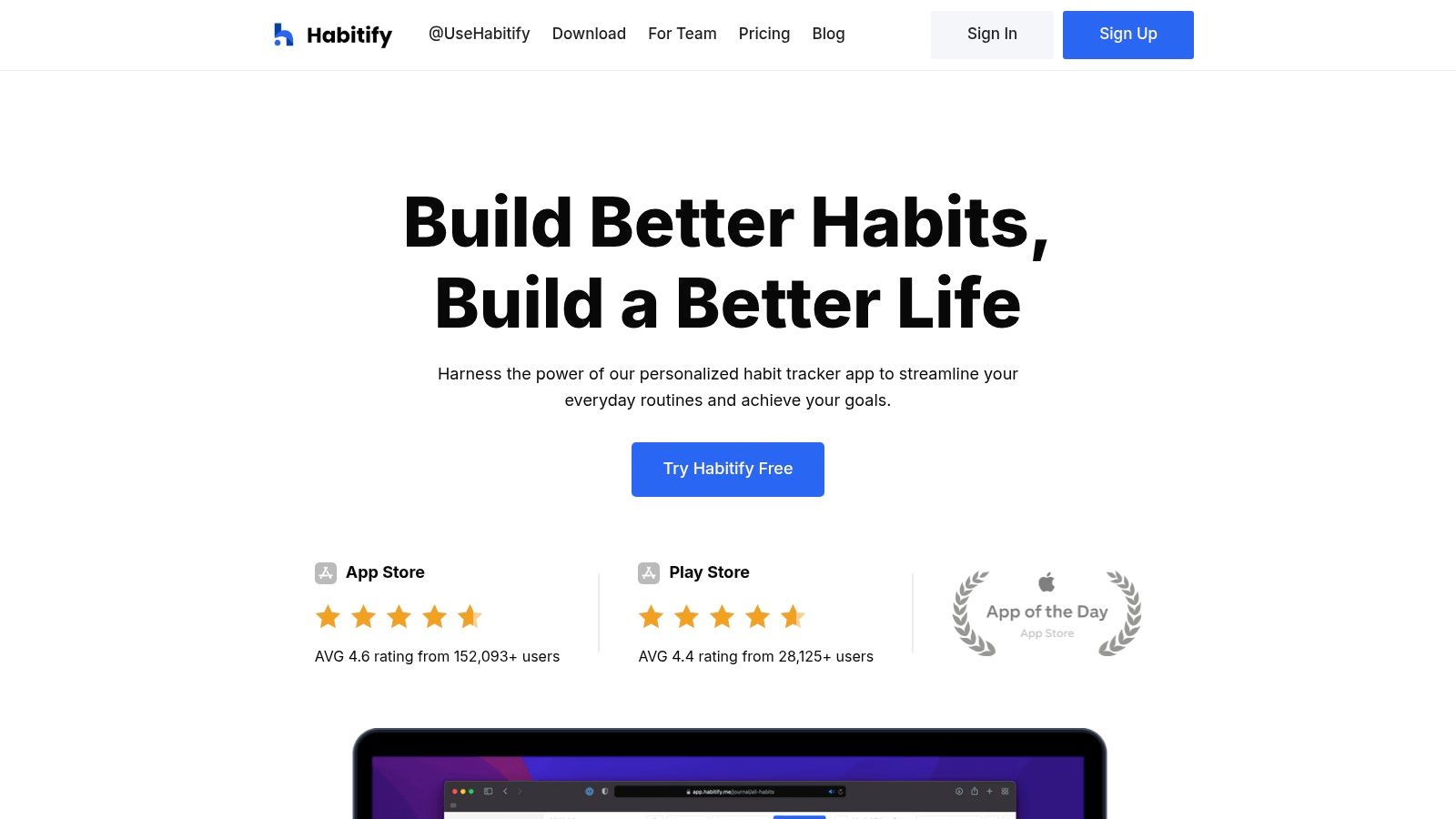
Habitify solves a specific problem well. You don’t live on one device, and you don’t want your habits trapped on one either.
If your day moves between phone, laptop, work computer, and browser tabs, Habitify is one of the strongest choices. Zapier recognized Habitify as “the best cross-platform habit tracker” in its app roundup, which tracks with the app’s real-world appeal for people who want continuity across systems.
Why it earns a spot
The cross-platform consistency is the headline, but the analytics are what keep many users around. Heatmaps, completion views, and broader progress screens help Habitify appeal to people who want both flexibility and reviewable data.
I like Habitify for users who are organized but not necessarily obsessed with ultra-detailed dashboards. It gives you enough insight to spot patterns without forcing every habit into a project-management framework.
Good fit if you need
- Device freedom: iOS, Android, web, and desktop access.
- Clear historical views: Strong visuals for reviewing consistency over time.
- A middle path: More data than minimalist apps, less complexity than heavy goal systems.
What to consider
Free plans and pricing tiers can feel restrictive depending on how many habits you’re tracking. That’s common in this category, but it matters more in a cross-platform app because people often want it to become their single home base.
If you only use one device, some of Habitify’s biggest strengths become less important. In that case, a simpler tool might feel cleaner.
You can try it at Habitify.
6. Loop Habit Tracker For the privacy-conscious Android user
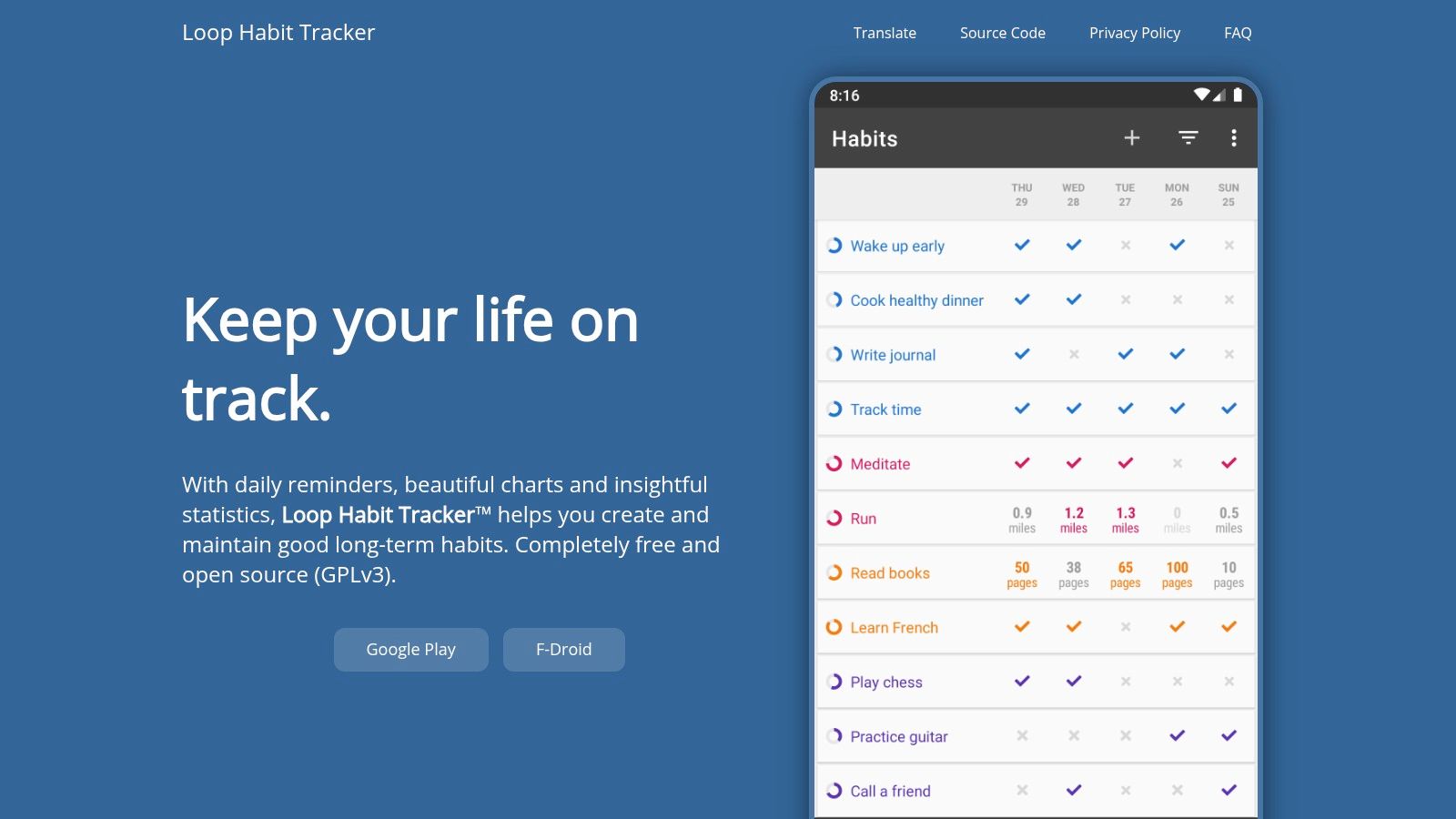
Loop has a loyal following for a reason. It does the basics well, stays lightweight, and doesn’t ask you to trade simplicity for subscriptions or invasive data habits.
For Android users who want a clean, reliable tracker, Loop is one of the easiest recommendations on this list. The same Habi roundup noted that Loop uses a habit strength scoring system and trend graphing to help users understand long-term consistency, which gives it a little more depth than its plain interface suggests.
Why people stick with Loop
Loop is a reminder that a habit tracker doesn’t need to feel flashy to be effective. If your goal is to open the app, log the habit, and move on, it succeeds.
Its open-source nature will appeal to users who care about transparency, and the app’s low-noise design is great for anyone who gets overwhelmed by feature bloat. There’s something refreshing about a tool that focuses on competence instead of upsells.
What it doesn’t try to be
Loop doesn’t try to coach you, entertain you, or become your whole productivity system. That’s either perfect or disappointing, depending on what you want.
If you need cloud sync, social accountability, or a polished multi-device experience, it’ll feel sparse. If you value privacy and straightforward logging, it’s one of the strongest Android-only choices.
Best for
- Android minimalists: Users who want utility without clutter.
- Privacy-minded users: People who care how their tools behave.
- Subscription avoiders: A practical choice if you’re tired of paywalls.
Watch-outs
- No official iOS or web app: Strictly an Android play.
- Limited extras: No coaching, community, or broad integrations.
See Loop Habit Tracker.
7. Habitica For gamers and fantasy lovers
You check off a to-do list, feel nothing, and stop opening the app a week later. Habitica exists for that kind of user.
Its whole premise is that behavior change feels better when progress is visible, playful, and a little dramatic. Complete habits in real life, and your character gains experience, gold, and items. Miss too many tasks, and your avatar takes damage. That feedback loop sounds silly on paper, but for people who naturally respond to quests, streak protection, and small rewards, it can make repetition easier to sustain.
Why Habitica clicks with some personalities
Habitica works best when your brain likes external motivation. If a plain checkbox feels emotionally flat, the RPG structure gives each action more texture. Daily routines become missions. Repeated tasks feel less like admin and more like progression.
I usually recommend it to users who have bounced off cleaner, more restrained trackers. That pattern matters. Some people need calm design and fewer inputs. Others need momentum, novelty, and a reason to care today, not just a graph they might appreciate next month.
The social side also changes the experience. Parties, shared challenges, and group goals create accountability without making the app feel clinical. For some users, that makes Habitica feel more like a team game than a self-improvement tool, and that is exactly why it sticks.
If you’ve quit three minimalist trackers in a row, the problem may not be discipline. The tool may be working against your motivation style.
Where the fit breaks down
Habitica asks you to buy into the theme. If fantasy aesthetics, avatars, and game loops annoy you, the app will feel noisy fast.
It also puts motivation ahead of analysis. You can track progress, but this is not the app I’d pick for clean reporting, detailed trend review, or a quiet interface that disappears into the background. The design is trying to keep you engaged, not get out of your way.
That trade-off is worth making for the right person.
Best for
- Gamified motivation: Users who enjoy points, quests, and virtual rewards.
- Social accountability: Friends, parties, and challenges add pressure in a lighter format.
- People who need emotional engagement: A strong fit if standard trackers feel sterile or forgettable.
Watch-outs
- Busy interface: The visual style can feel crowded if you prefer calm, minimal apps.
- Less appealing for data-focused users: Motivation mechanics matter more here than polished analytics.
Explore Habitica.
8. Way of Life For the minimalist journaler
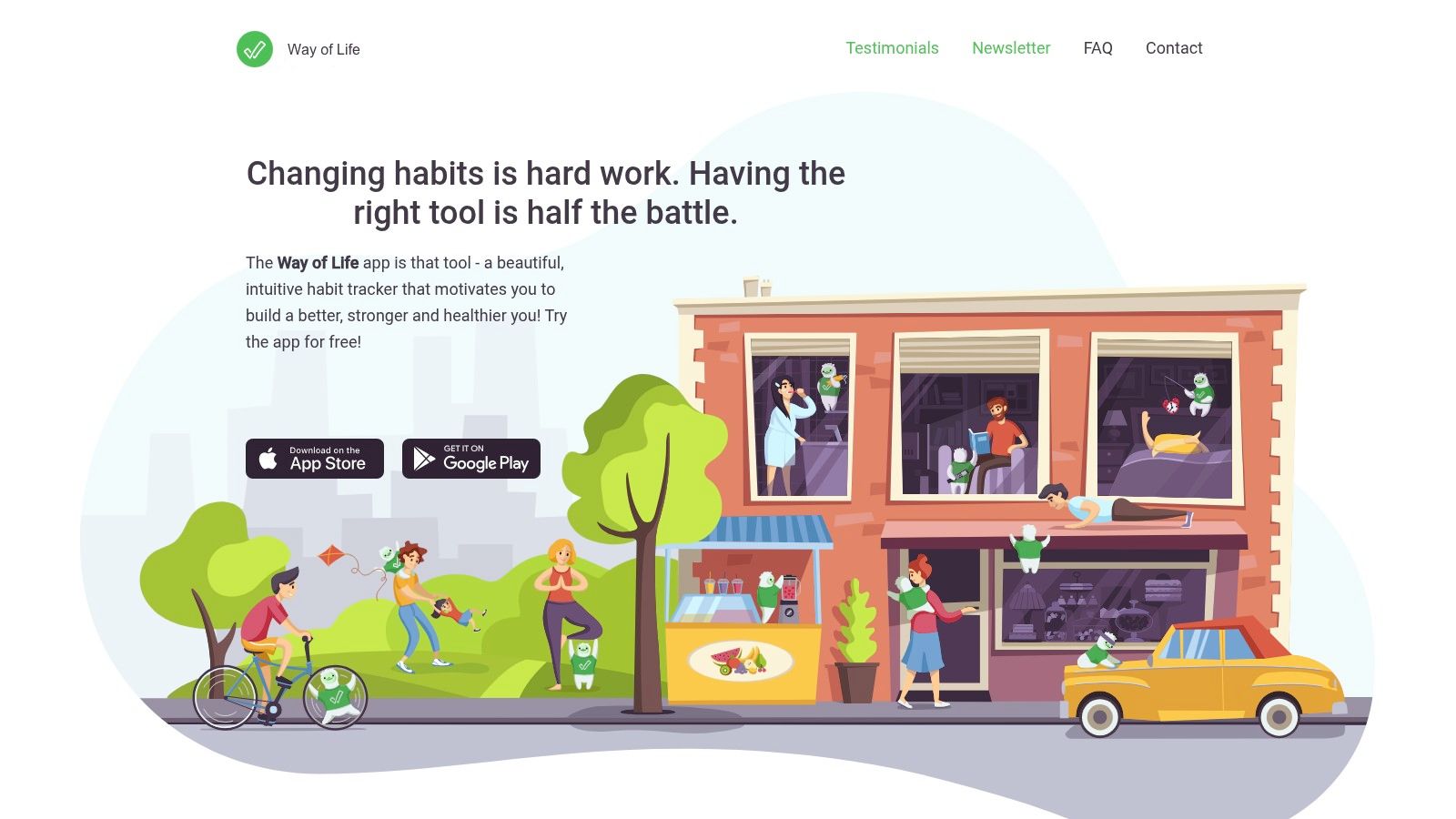
You miss a workout, tap “skip,” add a quick note about a late meeting, and close the app in ten seconds. For a certain kind of user, that is the whole appeal.
Way of Life fits people who want habit tracking to feel closer to a compact journal than a productivity system. Its psychology is simple: notice the pattern, record the context, and keep going. If charts and streak pressure make you tense, that lighter approach can keep the habit alive longer.
The yes, no, or skip format is a big part of why it works. It gives you enough structure to stay honest without forcing every day into a pass-fail frame. That matters if your real goal is awareness. Minimalist journalers often do better with a tool that helps them reflect on behavior instead of constantly scoring it.
I like it most for end-of-day check-ins. The notes feature lets you capture what was going on without turning the app into a full writing session. Over time, that can reveal the useful stuff: which habits slip when your schedule gets crowded, which ones hold up under stress, and which goals looked good on paper but never fit your life.
The trade-off is clear. Way of Life is better at pattern spotting than deep analysis. You get a clean visual record and enough context to notice trends, but not the level of breakdown some data-focused users will want. If your motivation comes from metrics, targets, and detailed reporting, Strides or Habitify will probably match your brain better.
The free version is best treated as a test run. It is enough to see whether the app's restrained style clicks with you, but larger setups and sync features make more sense on the paid tier.
Best for
- Minimalist reflection: Users who want a habit tracker with light journaling energy.
- Flexible consistency: The skip option helps separate real interruptions from simple misses.
- Calm visual review: Good for spotting patterns without getting buried in reports.
Watch-outs
- Limited depth for analysts: Better for self-awareness than detailed measurement.
- Paid features matter more over time: Fine for trying the app, less ideal if you plan to track a larger system.
Try Way of Life.
9. TickTick For the all-in-one organizer
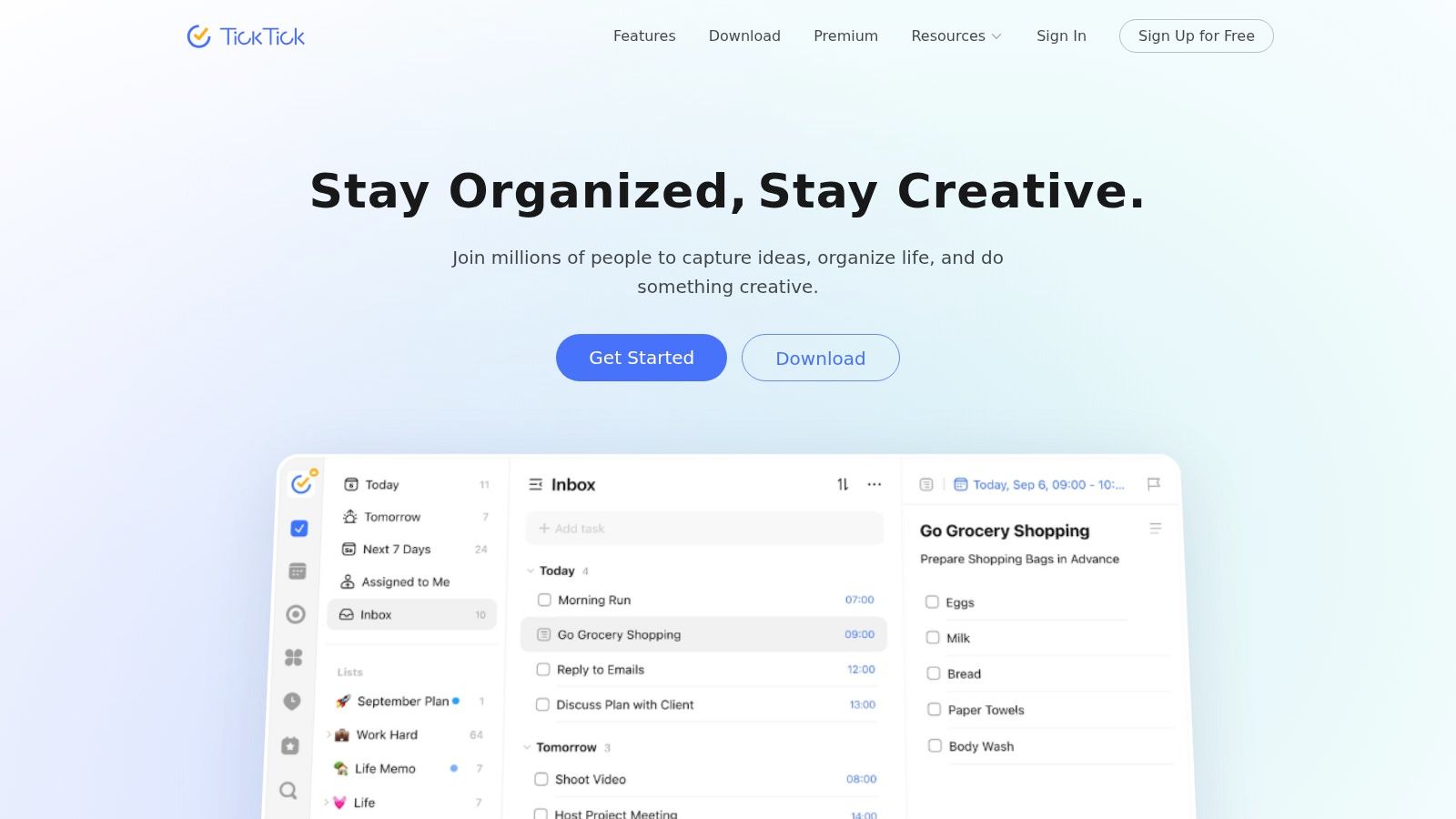
TickTick is for the person who’s tired of having one app for tasks, another for habits, and a third for focus sessions. If that app-hopping drains your energy, TickTick’s integrated setup can feel like a relief.
This isn’t the best habit tracking app if habits are your only priority. It is one of the best if your habits need to live beside your calendar, to-do list, and focus tools.
Why consolidation works for some people
Many habits fail because they live in a separate app from the rest of daily life. TickTick solves that by keeping habits close to tasks and schedules. That makes it easier to connect your routines to the reality of your day instead of imagining them in a perfect future version of your calendar.
The built-in Pomodoro timer is also useful if your habit is something like writing, studying, reading, or deep work. In those cases, the line between task and habit is thin, and TickTick handles that overlap well.
Why consolidation doesn’t work for everyone
Some people need separation. If your task manager already feels overloaded, adding habits to the same environment can make everything blend together. Habits often benefit from a cleaner emotional tone than ordinary tasks.
That’s the central trade-off with TickTick. Convenience versus clarity.
Best for
- Tool consolidators: People who want fewer apps and one central system.
- Productivity-minded users: Great when habits connect to tasks and time blocks.
- Cross-platform users: Strong fit across mobile and desktop environments.
Watch-outs
- Habit tracking isn’t the deepest: Specialist apps still do this one job better.
- Can blur categories: Not ideal if habits need a separate mental space.
Visit TickTick.
10. Fabulous For science-backed routine building
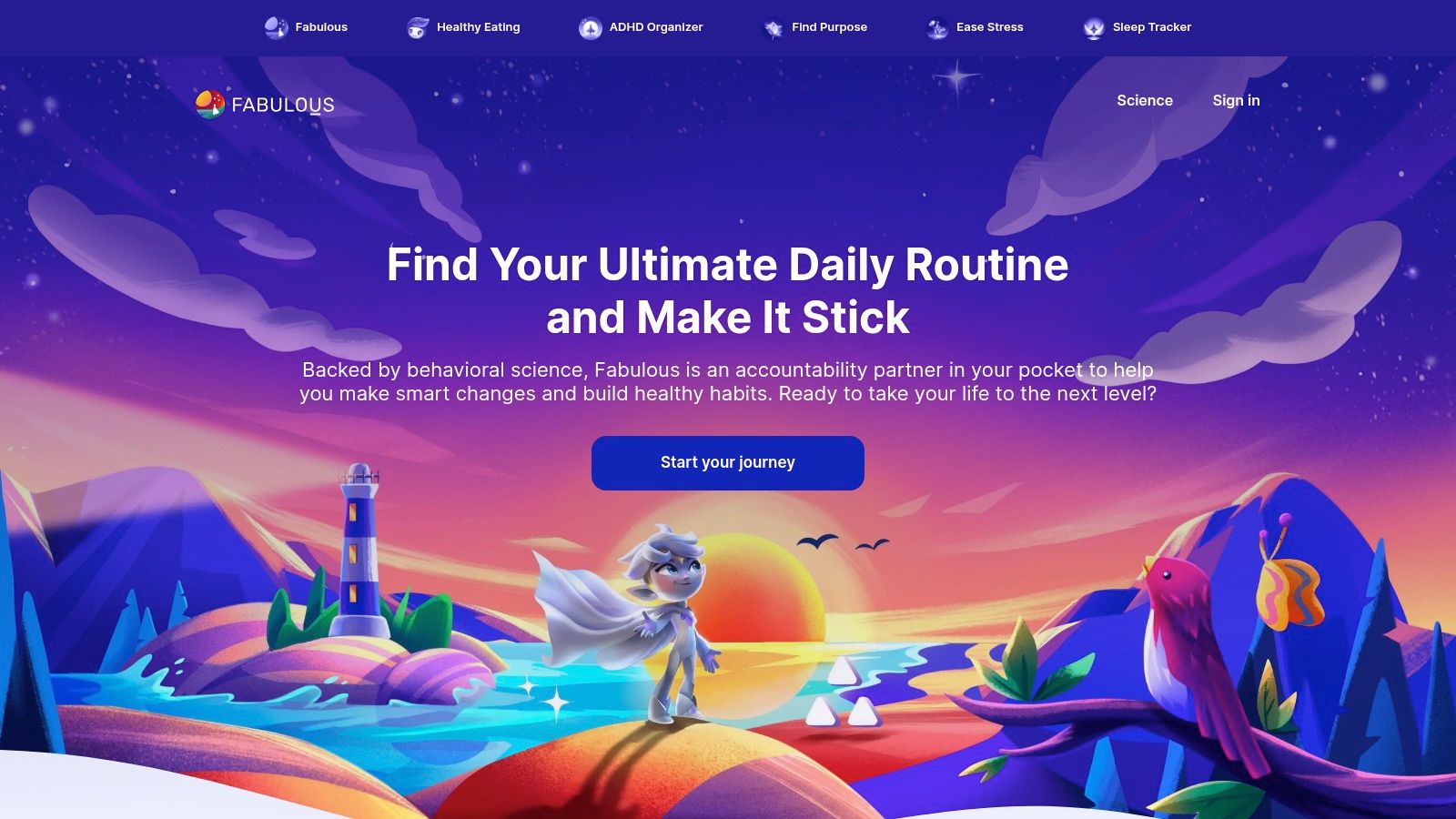
Fabulous is less about logging isolated habits and more about building guided routines that feel cohesive. If you want a coach-like experience, that’s the appeal.
Some people don’t need another blank system. They need a path. Fabulous offers one by organizing habits into broader journeys and structured routine-building experiences.
Where Fabulous fits best
This app works well for people who feel overwhelmed by self-directed habit setup. Instead of asking you to invent a system from scratch, it gives you one and walks you through it.
That makes it a solid option for routine repair after burnout, life transitions, or periods of inconsistency. If your mornings and evenings feel scattered, a guided experience can be more useful than a flexible but empty tracker.
For anyone exploring the mindset side of routine creation, these affirmations for habit formation can complement that work well.
The trade-off with guidance
Guidance always comes with a little rigidity. If you already know exactly what habits you want and how you want to track them, Fabulous may feel like too much hand-holding.
It’s also better for people who like coaching-style content than those who want a quick utility app. Think support, structure, and guided momentum, not lean efficiency.
Best for
- Users who want a guided path: Helpful when blank-slate apps feel overwhelming.
- Routine rebuilders: Strong for morning and evening structure.
- Wellness-oriented users: Better for holistic change than raw tracking.
Watch-outs
- Less flexible for self-directed users: Not ideal if you want total control.
- Premium feel and pricing: Best when you’ll use the coaching content, not just the tracker.
See Fabulous.
Top 10 Habit-Tracking Apps, Features & Focus
| App | Core Focus / USP | Key Features ✨ | UX / Quality ★ | Price / Value 💰 | Best for 👥 |
|---|---|---|---|---|---|
| I Become: For Affirmation-Centered Habit Building 🏆 | Mindset‑first habit formation through personalized affirmations | ✨ Personalized affirmations; Lock Screen widgets; Read/Speak/Listen/Write; streaks | ★★★★☆, gentle, elegant experience | 💰 Free to start → Premium libraries & themes | 👥 Busy iOS users seeking self‑compassion routines |
| Streaks: For the Apple Ecosystem Purist | Apple‑native streak tracker with deep Health & Watch ties | ✨ Apple Health + Watch complications; widgets; automation | ★★★★★, fast, delightfully native | 💰 One‑time purchase (no subscription) | 👥 Apple ecosystem users who want speed & polish |
| Strides: For the Data‑Driven Goal Setter | Flexible trackers for SMART goals and deep reporting | ✨ 4 tracker types; charts, pace lines; tagging & daily view | ★★★★☆, powerful analytics | 💰 Free + Strides Plus / lifetime option | 👥 Data‑minded goal setters and planners |
| Productive: For Guided Challenges and Motivation | Guided challenges, location reminders, coaching mechanics | ✨ Guided Challenges; location/time reminders; Watch support | ★★★★, feature‑rich, motivating | 💰 Subscription for Premium features | 👥 People who want coaching + community nudges |
| Habitify: For the Cross‑Platform Power User | Consistent, polished experience across all major devices | ✨ Cross‑platform sync; calendar heatmaps; detailed stats | ★★★★, polished & consistent | 💰 Free limited → Subscription / paid tiers | 👥 Multi‑device users needing robust analytics |
| Loop Habit Tracker: Privacy‑Conscious Android User | Open‑source, privacy‑first, no‑cost habit tracking | ✨ GPLv3 open‑source; reliable reminders; detailed graphs | ★★★★, lightweight, trustworthy | 💰 Completely free & ad‑free | 👥 Android users who value privacy & simplicity |
| Habitica: For Gamers and Fantasy Lovers | Gamified RPG system to motivate habits socially | ✨ RPG leveling, Parties/Guilds, tasks → rewards | ★★★★, highly motivating but busy UI | 💰 Free + optional subscriptions/cosmetics | 👥 Gamers & social accountability seekers |
| Way of Life: For the Minimalist Journaler | Ultra‑fast end‑of‑day logging with color‑coded chains | ✨ Yes/No/Skip logging; color chains; diary notes | ★★★★, minimal, very fast | 💰 Free → Paid upgrade for cloud/more habits | 👥 Minimalists who want quick daily logging |
| TickTick: For the All‑in‑One Organizer | Tasks, calendar, Pomodoro + built‑in Habits module | ✨ Habits tab; task manager; Pomodoro; cross‑platform | ★★★★☆, feature packed, integrated | 💰 Free tier → Premium (good value) | 👥 Users wanting one app for tasks + habits |
| Fabulous: For Science‑Backed Routine Building | Coaching‑style journeys backed by behavioral science | ✨ Guided journeys; audio coaching; community challenges | ★★★★, high production, structured | 💰 Premium subscription (higher price) | 👥 Users wanting hand‑holding & structured programs |
Your journey, your tool Choosing the right companion
A habit app usually succeeds or fails in a quiet moment. You are tired, a little distracted, and deciding whether to open it at all. If the app asks for more energy than you have, it starts to feel like another obligation instead of support.
The better question is simple. What kind of support works for you when motivation is low?
That is the filter that matters most. Some people stay consistent when they can measure progress clearly. Some need play, rewards, and a sense of momentum. Some come back more reliably to a calm, forgiving app that does not punish an imperfect week. Others want the lightest possible tool, one quick check-in, then done.
With that lens, the choices become easier.
Choose Streaks if Apple-first design and visual progress keep you engaged. Choose Strides if specific targets, charts, and trend lines help you stay honest. Choose Productive if guided structure and prompts keep you from drifting. Choose Habitify if you move across devices all day and want your system to follow you. Choose Loop if you want a private, lightweight Android tracker. Choose Habitica if rewards, quests, and social accountability make repetition more fun. Choose Way of Life if fast logging and short reflections help you spot patterns. Choose TickTick if habits need to sit beside tasks, calendar events, and focus sessions. Choose Fabulous if a coaching style and structured routines help you stick with change.
Choose I Become if consistency starts with identity.
That is a real difference, not a branding detail. Many habit trackers focus on counting, streaks, and reminders. Those tools work well for people who respond to external structure. I Become fits a different psychology. It supports habit building through affirmation, self-talk, and the repeated practice of becoming the kind of person who does the habit.
For some users, that approach feels far more natural on an ordinary day. Supportive notifications, Lock Screen widgets, personalized affirmations, and multiple practice modes reduce friction without adding a lot to manage. The app is less about tracking performance and more about reinforcing the mindset that makes repetition easier.
If you are still undecided, use one practical test. Pick the app you would open on a busy Wednesday, not on your most organized Monday. The best habit tracker is the one that matches your mental model for growth and feels easy to return to.
Found this helpful? Share it with someone who might benefit.